Zero Calibration Procedure
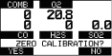
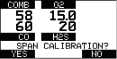
ZERO screen displays. To skip the ZERO procedure and move directly to the span calibration procedure, push the p button. If no button is pushed for 30 seconds, the device prompts user to perform a SPAN calibration before device returns to the Normal Measurement page. To perform ONLY a Fresh Air Setup at this time, press the ■ button. The device then performs a Fresh Air Setup as described in Turning ON and Fresh Air Setup. When the Fresh Air Setup is complete, the device returns to the normal Measure screen. |
|
|
|||||||||||||||
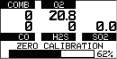
During the first moments of a ZERO calibration, the combustible sensor reading may be replaced by a moving display of “PLEASE WAIT”. This is normal. |
|
|
|||||||||||||||
|
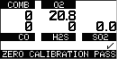
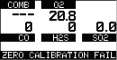
NOTE: After the ZERO calibration is completed the device displays either
or
|
|
|
|||||||||||||||
|
|
|
||||||||||||||||
|
NOTE: Only if the device passes the zero calibration the SPAN screen displays. |
|
|