Voting Zones
The SENTRY io logic programming supports “OR” gate and “AND” gate logic functions in the SmartStart setup wizard. Any OR gates may be selected in zoning logic section, or “2 of N” or “3 of N” are also selectable to achieve limited “AND” gate functions.
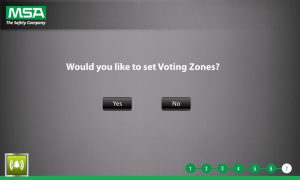
Voting zones are only needed if you want to achieve “OR,” “2 of N,” or “3 of N” logic voting . " AND" logic can be achieved in the cause and effect logic configured after voting zones.
|
If Yes, proceed to step 2. If No, you automatically proceed to the Cause and Effect configuration. See Cause and Effect for more information. |
||||||||||||
|
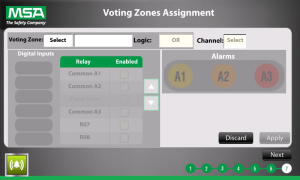
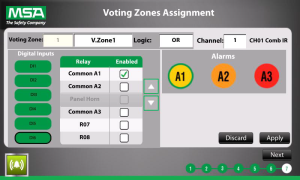
Once a channel is selected, the digital input, relay, and alarm selections are available. |
||||||||||||
|
Repeat steps 2-9 for all desired voting zone and channel combinations. —or— Tap Discard to cancel any current changes and re-enable the Voting Zone textbox to make a new zone selection. —or—
NOTE: You cannot go back in the process once you tap Next. |
 and
and  to locate the desired zone number, and tap Ok.